
Changing Layout of a Story
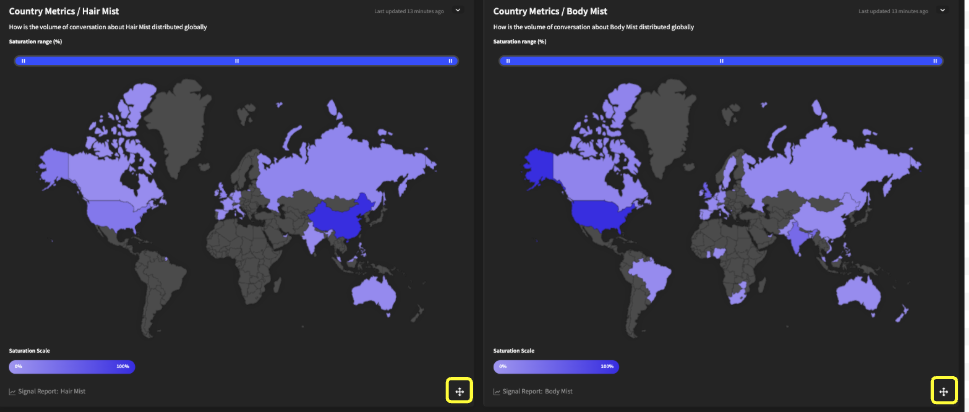
You can change the layout of a story by clicking down and holding the cross icon (highlighted in yellow) of a signal card. Holding down on this icon will allow you to rearrange and move the cards in a drag-and-drop manner within the story. Once you have finished editing the layout, you can click the “Save Layout” button to finalize your changes.