
Compare Signals
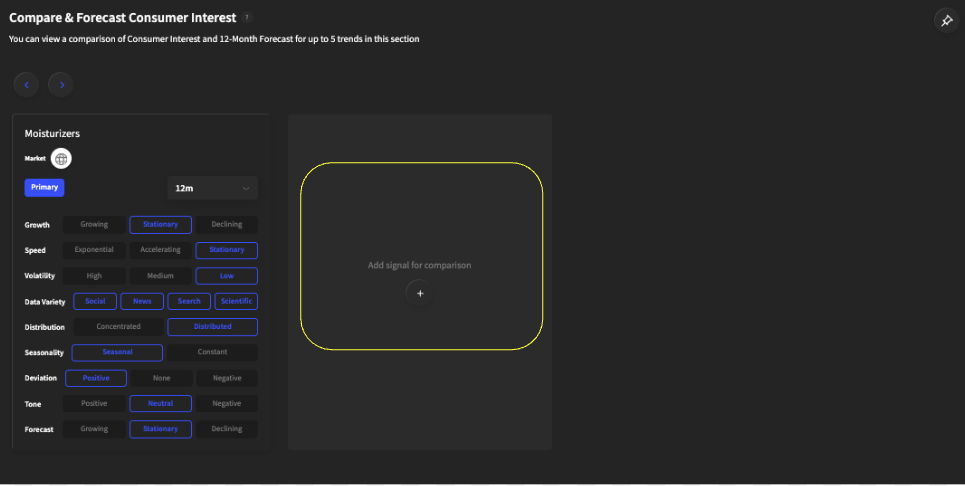
Go to the “Compare & Predict” section of the platform and hit the plus-sign button underneath “Add signal for comparison,” highlighted in red.
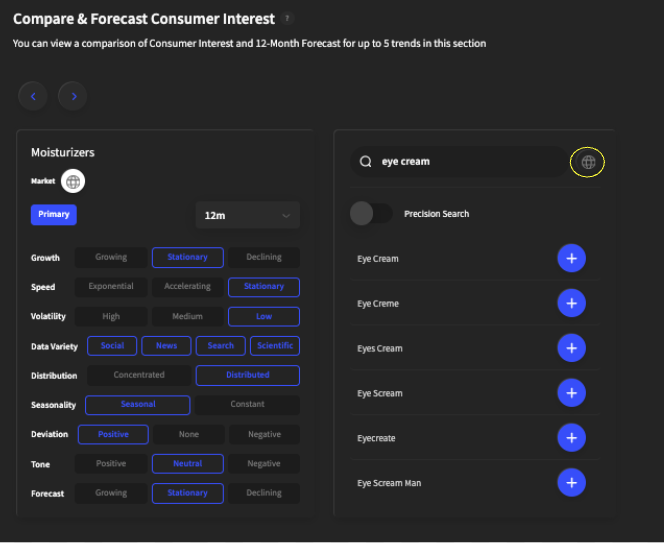
A search bar will appear, and you can type in a topic to compare. You can also change the market of the topic by clicking on the globe icon highlighted in yellow.
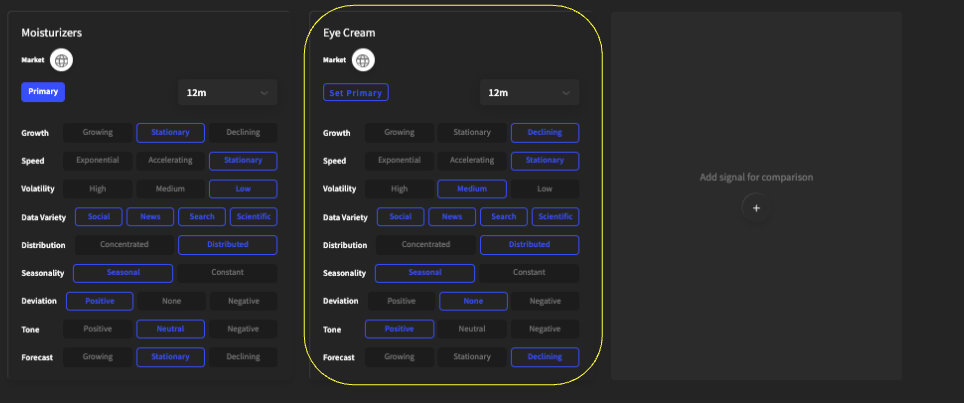
The key indicator card will appear for the added topic once finished loading, and the graph below will be displayed.

Relative Score (Impact Score): The impact score represents the performance of a topic relative to its past performance, and the score is normalized from 1-100. An impact score of 1 indicates that this is the worst the topic has performed, and an impact score of 100 indicates that this is the best the topic has performed.
Absolute Score: The Absolute Score measures the total volume of mentions for a topic relative to other topics across all of our data sources over the past three years. The absolute score is scaled from 0-100; a 100 indicates that this topic has the most mentions on the platform compared to all other topics, and 0 means this has the least mentions.
Key Moments: An inflection point occurs when there is a sudden acceleration in the volume of mentions around a particular topic, indicating it may grow exponentially in the short term.
Fixed vs. Auto Scale: Changes the zoom of the comparison.