
Context Space

Growth Protocol’s algorithm doesn't just surface the topics you search but the thousands of related associations. These contextual microtrends together form the Context Space.
Microtrend: Microtrends offer insights into the key factors driving the growth or decline of a trend. Visually, they are represented as the small blue dots inside the circle. The closer a microtrend is to the center, the stronger the relationship. The list view is available below the context space visual.
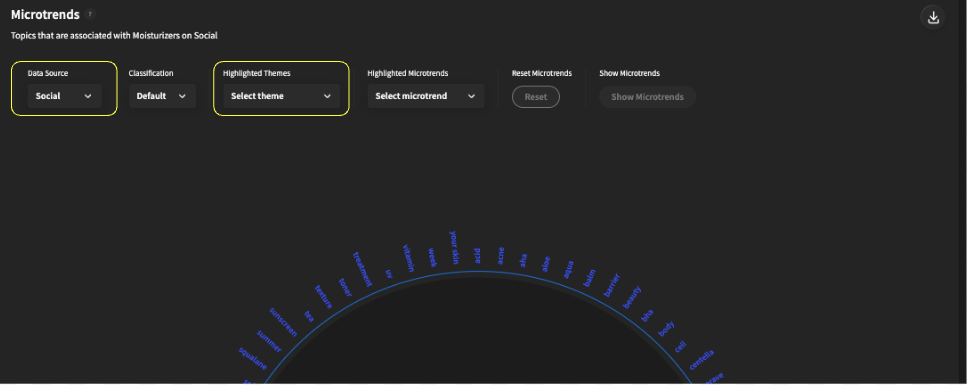
Highlighted Themes: Highlighted Themes enable users to see the different microtrends driving consumer conversation around the given trend. You can pick different themes by clicking the dropdown menu highlighted in yellow.
Data Source: The Data Source dropdown menu allows users to change the data source between Consumers, Scientific Literature, and News. You can change Data Source by clicking on the dropdown menu highlighted in yellow.


Classification: To customize the microtrends, click the classification button. You can then type in different categories that you would like (i.e. example, ingredients, brands, benefits). Once you click show microtrends, you will get a list view of the microtrends related to your chosen categories.